Tree Identifier by Picture Online
Use this tree identifier by picture when you want a fast answer from a leaf, bark, cone, twig, or whole-tree photo. Upload one clear image to get likely matches, common and scientific names, visible trait notes, and practical next-step guidance without downloading an app first.
Identify a Tree by Photo in Your Browser
This tree identifier reviews visible clues such as leaf shape, needle type, bark texture, branching pattern, and overall form. A strong tree identification result can include likely species matches, common and scientific names, family, key evidence from the image, and notes about the closest lookalikes.
Drag & drop your photo here, or click to browse
Supports JPG, PNG, WEBP · Max 10MB
Identifying Your Tree...
Reading visible tree clues from your photo
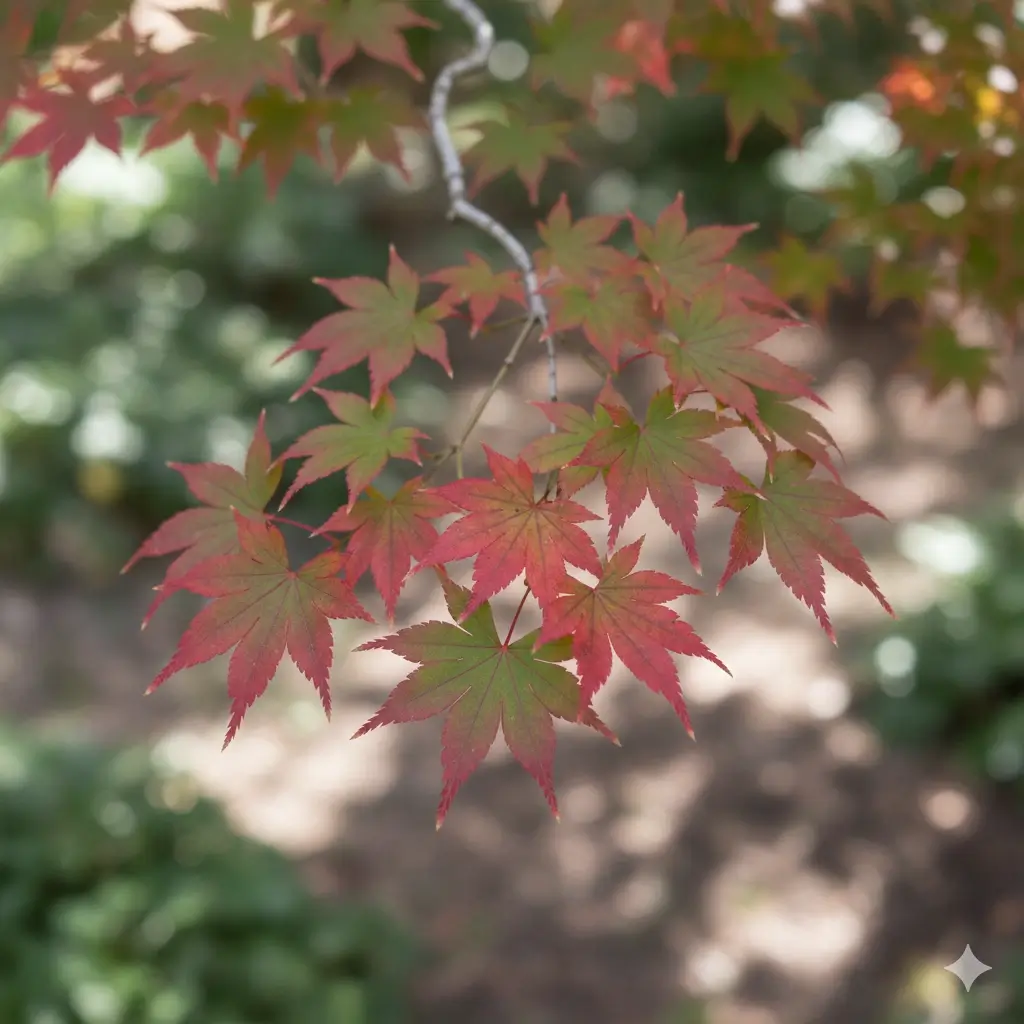
Japanese Maple
Acer palmatum
A small ornamental tree known for palm-shaped leaves with deep lobes, fine branching, and strong seasonal color. Mature form and cultivar can change the exact look, but the leaf structure is usually a strong clue.
Possible Lookalikes: Red maple seedlings, full moon maple, and some laceleaf cultivars can appear similar depending on angle and season.
Next Step: For stronger confirmation, add one close photo of a full leaf and one wider shot showing the whole crown shape.
Possible Lookalikes:
Next Step:
How to Identify a Tree by Photo
Upload a Clear Tree Photo
Start with the clearest tree photo you have. A good tree identifier by picture works best when the image shows a full leaf, needle cluster, bark section, cone, twig, or the overall crown shape without heavy blur or deep shadow.
Review Likely Tree Matches
The tree identification result is shown as likely matches instead of one forced label when several trees share similar visible traits. That is more useful for identify tree by photo searches because many maples, oaks, pines, and ornamentals can look close from one angle.
Confirm With Extra Evidence
After the tree identifier gives you a shortlist, compare the common name, scientific name, family, and visible clue notes with the real tree. If the top match feels close but not certain, add a leaf close-up, bark photo, cone photo, or a whole-tree view.
What Tree Photos Help Tree Identification Most?
People searching for tree identifier by picture usually want a quick answer, but tree identification depends heavily on what part of the tree you photograph. These photo tips help the tool read the clues that matter most.
Start With a Leaf or Needle Close-Up
A clean photo of one full leaf, one compound leaf, or a needle cluster often gives a tree identifier the strongest evidence first. Shape, lobe pattern, leaf edge, and needle grouping can separate many common trees faster than a distant landscape shot.
Add the Whole Tree Shape
Tree identification is more reliable when the tool can also see the canopy shape, branching habit, and relative size. A whole-tree photo helps distinguish a narrow ornamental tree from a broad shade tree even when the leaf looks similar.
Photograph Bark, Twigs, or Buds Too
Bark texture and twig structure can be useful, especially when leaves are missing or the tree is dormant. Bark alone is not always enough, but it becomes much more helpful when paired with a leaf, bud, cone, or full-tree image.
Include Fruit, Cone, or Seed Clues
Acorns, samaras, seed pods, berries, nuts, and cones often confirm a tree identification faster than color alone. If those parts are visible, add them as a second or third image-worthy detail even if your first upload is just one photo.
Why these photo tips matter
A tree identifier by picture works best when the upload shows evidence, not just scenery. Tree identification is easier when the image captures the exact clues people use in real life: leaf shape in the growing season, bark and twigs in winter, and fruit or cones whenever they are available.
What a Good Tree Identification Page Should Explain
Most tree identifier pages stop at naming the tree. This page goes further by telling users what evidence matters, when one photo is not enough, and how season changes affect the result.
Broadleaf vs Conifer Is Often the First Split
A practical tree identification workflow often starts by separating broadleaf trees from conifers. That one decision changes what evidence matters next, from simple and compound leaves to scale-like foliage, single needles, or needle bundles.
Leaf Arrangement Helps Narrow Similar Trees
When two leaves look close, arrangement can do real work. Opposite and alternate leaf patterns help separate many common tree groups, so a tree identifier should not only show the name but also explain the visible arrangement clue when possible.
Bark Alone Can Be Helpful but Limited
Many users try to identify tree bark from one photo, but bark by itself is not always enough for species-level confidence. It is most useful when paired with a leaf, twig, bud, fruit, cone, or a wider view showing the tree's overall habit.
Multiple Clues Beat One Pretty Photo
A strong tree identifier should help users move from a fast guess to a guided shortlist. Leaf shape, bark pattern, cone type, branching, and crown form together produce a much better tree identification than any single image feature alone.
Season matters in tree identification
In spring, summer, and early fall, leaf photos usually provide the fastest tree identification clues. In late fall and winter, a better tree identification often depends on bark, twigs, buds, cones, and the whole silhouette. That seasonal shift is exactly why this page encourages more than one type of tree photo when the first result looks uncertain.
Why a Tree Identifier May Show Several Matches
Tree identification from one image can be very useful, but it is normal for a careful tool to show more than one likely match. Similar species can share leaf shape, bark color, or overall form, especially in ornamental cultivars and closely related native trees.
Different Trees Can Share Similar Leaves
A single leaf photo may not capture the small details that separate one species from another. Some maples, oaks, elms, cherries, and ornamental landscape trees can overlap enough that a tree identifier should return a shortlist instead of a hard claim.
Extra Angles Improve Tree Identification
If your first identify tree by photo result includes lookalikes, the next best step is usually another angle. Add a bark section, a cone, a fruit cluster, or a whole-tree silhouette so the tree identification tool can compare more evidence.
Use the Result as a Guided Shortlist
The best way to use a tree identifier by picture is to compare the top candidates with the real tree in front of you. Treat the result as a practical shortlist supported by visible traits, then verify with added context when the decision matters.
Important reliability note
Do not rely on one tree identifier result alone when the decision affects edibility, toxicity, allergy risk, wood use, or property management. Use the result as a starting point, then confirm with trusted local guidance if the situation is safety-sensitive.
What You Get After You Identify a Tree
Common and Scientific Tree Names
A good tree identification result should tell you what the tree is called in plain language and how to verify it later. That makes the page useful for homeowners, students, gardeners, and anyone trying to label trees accurately.
Family Context and Visible Clue Notes
Tree identification becomes more practical when the result explains the family and the traits that fit the image. Notes about lobes, needles, opposite branching, bark texture, or cones help users understand why the likely match appeared.
Lookalikes Worth Comparing
The most useful tree identifier by picture pages do not hide uncertainty. They surface close alternatives when several trees look similar, which is especially helpful for tree identification with only one leaf or one bark photo.
Next-Photo Guidance
A solid identify tree by photo workflow should tell you what to upload next when confidence is limited. That might be a full leaf, a cone cluster, a twig with buds, or a wider view of the canopy and branching pattern.
Browser-Based Tree Lookup
Many users want tree identification online without installing an app first. This page keeps the process simple by letting you upload a tree picture from desktop or mobile directly in your browser.
Faster Shortlisting for Real Questions
Most visitors are not building a botany collection. They just want to know what tree is this by picture, whether the result seems reliable, and what to check next. The page is designed around that real tree identification intent.
Tree Identifier FAQs
Upload a Tree Photo and Narrow the Match Faster
Start with one clear tree image, compare likely matches, and use the result to decide what leaf, bark, cone, or whole-tree detail to check next.